Every feature exists because
couples needed it.
Here's the exact chaos each one fixes — and how Forever Planner solves it.
Explore all 15 features
The problem
"What should we even be doing right now?"
Every search leads to contradicting advice, American prices and blog posts from years ago. A good wedding planner costs thousands before they have done a thing, and you still have to explain your wedding from scratch.
An assistant that already knows your wedding.
Ask anything — whether a UK photographer quote is reasonable, how to chase a caterer politely, what to do six months out. The assistant answers with your own plans in mind: how many guests have replied, your budget plan and which payments are coming up. When it suggests a task or a note, add it with one click. It can also draft supplier emails and guest messages, check your budget's health, suggest your checklist, seating and order of the day, and turn your references into a mood board image. Wedding website fill and contract analysis are on Premium.
- AI planning assistant: Essential and Premium
- AI budget health check: Essential and Premium
- AI vendor email drafts: Essential and Premium
- AI mood board images: Essential and Premium
- AI wedding website fill: Premium only
- AI contract analysis: Premium only
For example
A couple asks whether a venue quote is typical for 100 guests in the South East. The assistant explains what to check in the contract and suggests adding "ask about the corkage fee" to their checklist, which they add with one click.
Yes — that's within the typical range for the UK.
For an experienced photographer with a full day package, you're looking at £2,800–£6,000. At £4,500 expect a second shooter, full gallery, and same-day previews.
What questions should I ask before booking? →
Ask anything — budget, vendors, timelines, guest messages…
The problem
"There are a hundred things to do. Which one is today's?"
Wedding planning is a long list of small jobs spread over a year. Some have deadlines, some have deposits attached, and some depend on a supplier getting back to you. Keeping it all in your head means something always slips.
Open the app and see what to do next.
The dashboard puts the next few things in front of you: checklist tasks coming up or overdue, supplier payments due in the next fortnight, and suppliers you meant to follow up with. Below that, your wedding at a glance — days to go, RSVPs in, budget used, and charts for your checklist, spending, guests and suppliers.
For example
A couple opens the app on a Sunday evening. The dashboard shows a florist deposit due on Friday and a band they planned to chase, so they deal with both before the week starts.
Checklist
Send save-the-dates
Payments
Bloom & Co Floristry deposit
Supplier follow-ups
The Swing Kings
214
Days to go
38 / 96
RSVPs in
61%
Budget used
The problem
"RSVPs are coming in via WhatsApp, text, my mum, and a Post-it note."
You have well over a hundred people to invite. Replies trickle in through four different channels, dietary requirements are scattered across texts, and you have chased the same three people twice and still do not know.
Every guest and every reply, in one list.
Import your list from a spreadsheet or paste it in, group people into invites with their +1s, then search, filter and change many guests at once. Email invites from the app, and each invite gets its own RSVP link covering everyone on it. Collect postal addresses for invitations and thank-you cards, and export the list or address labels. On Essential and Premium, reminders go out to non-responders automatically as your RSVP deadline approaches, and guests can stop them with one click. The Free plan covers up to 65 guests and 50 emailed invites; copying an RSVP link is always free.
- Automatic RSVP reminders: Essential and Premium
For example
A couple imports their guest list from a spreadsheet, sends invites, and sets an RSVP deadline. As it approaches, reminders go to the guests who have not replied, so the couple does not need to send chasing texts.
Emma Thompson
Vegetarian
James & Katie W.
Sarah Chen
Michael Barnes
Gluten-free
Lily & Robert P.
The problem
"We agreed £18,000. The spreadsheet says £24,300. Nobody knows what happened."
You set a budget before speaking to a single supplier. Now you have said yes to a venue, a photographer and a catering quote, and you are not sure the numbers add up. There are three versions of the spreadsheet and none of them is current.
Plan it, track it, and see the cash coming due.
Set a planned amount per category and see it against what you've actually committed. Booked suppliers count; quotes you're still weighing don't. Add costs that aren't suppliers, like rings or favours, and money family have promised or given. Payments can be split into instalments, and a cash-flow view shows each month's payments against your projected savings, so a shortfall shows up before it lands. Hold back a contingency buffer, and compare spend with typical UK prices for your guest count. The AI budget health check is on Essential and Premium.
- AI budget health check: Essential and Premium
For example
A couple adds a band quote they are considering. It shows as a quote, not as spending, and the plan shows Entertainment would go over what they set aside, so they look at other options before booking.
Total spent
£18,200 / £18,500
Used
98%
The problem
"7 suppliers. 7 email threads. 3 unpaid deposits. 1 contract I can't find."
Florist, caterer, photographer, venue, cake, hair and make-up, DJ. Each in a separate email thread, quotes in different formats, deposit dates scattered across your calendar.
Every supplier, from first enquiry to final payment.
Find local suppliers without leaving the app, then track each one from enquiry through quote and meeting to booked. Set a follow-up date and it appears on your dashboard. Compare quotes for the same category side by side, choose one with "Book this one", and mark the others "Not chosen". Keep each payment and its due date, store contracts and quotes, and share a read-only supplier list with your coordinator. The Free plan covers up to 10 suppliers and 3 documents.
For example
A couple has three photographers quoting. They compare them side by side, book one, and mark the other two as not chosen, which takes those quotes out of their budget figures.
Emma Clarke Photography
Photographer
Bloom & Co Floristry
Florist
The Mill Catering
Caterer
The problem
"120 guests. Divorced parents. 2 feuds. The seating plan is making me cry."
You have tried paper, sticky notes and a colour-coded spreadsheet. Then two people cancel, someone brings a +1, and the venue changes a table size. You start again.
Seat whole parties at once, and move them when things change.
Lay out your tables, then seat guests one at a time or a whole party together, by drag and drop or from a list. Tables can be moved with a finger or the keyboard. Seats are held for +1s who have not been named yet, and each table shows its dietary needs for the caterer. Export the plan as a PDF or a spreadsheet. On Essential and Premium, the AI seating suggestion keeps parties and households together and follows your seating notes, and you review every change before it applies.
- AI seating suggestions: Essential and Premium
For example
Three guests cancel the week before. The couple unseats them, seats a newly confirmed family in the gap as one party, and exports a fresh PDF for the venue.
The problem
"Did anyone actually book the registrar?"
Some jobs need doing a year out, some a fortnight out, and a few have legal deadlines. A generic online list does not know your date, or that the rules differ in Scotland and Northern Ireland.
A UK checklist, dated from your wedding day.
Start with around 30 UK tasks, each dated from your wedding date, including giving notice of marriage for England and Wales, Scotland or Northern Ireland. Assign tasks to either of you and see who ticked each one off. Filter, change many tasks at once, and print the list or export it to a spreadsheet. AI checklist suggestions are on Essential and Premium.
- AI checklist suggestions: Essential and Premium
For example
A couple in Scotland sets their wedding date and nation. The checklist dates the notice of marriage task to their wedding, and they assign it to whichever of them is handling the paperwork.
Give notice of marriage
Legal · Due 12 Jun · Sam
Book the photographer
Suppliers · Done by Alex
Order the wedding cake
Suppliers · Due 20 Jul · Both
Send invitations
Guests · Due 1 Aug · Sam
The problem
"The photographer, the band, your mum, and the venue all want the same running order. It's in your head."
Your day runs on precise timing. The photographer arrives at nine, the ceremony is at one, the band sets up at five. Right now the answers are split across a document, four emails and your memory.
One order of the day, shared with everyone who needs it.
Start from a template that lines up with your ceremony time, then adjust it event by event. Overlaps and long gaps are pointed out, and you can shift everything after a change in one go. Add key people with their phone numbers, and linked suppliers' numbers appear in the printout. Share a read-only link with your venue, photographer and family. Generating an order of the day with AI is on Essential and Premium.
- AI order of the day: Essential and Premium
For example
The ceremony moves back half an hour. The couple shifts every later event by 30 minutes in one step, and the venue coordinator sees the change on the shared link.
The problem
"You've answered 'where's the venue?' 40 times. It's still 6 months away."
Every guest has the same questions: address, parking, hotels, dress code, what time to arrive. You are answering them one by one, over WhatsApp, text and email.
One link with every answer, in a design you chose.
Pick one of nine design collections and build your site from sections: your story, schedule, travel, accommodation, dress code, FAQs, a wish list and a guest book. Give it a friendly address, add music, hide sections until you are ready, and turn on an optional passcode. You approve guest book messages before they appear if you prefer. Filling the site from your details with AI is on Premium.
See the nine design collections- AI wedding website fill: Premium only
For example
A couple chooses a collection, sets their address to their names, and adds the link to their save-the-dates. Guests find the venue, parking and dress code without asking.
Saturday, 11th September 2027
Sarah & James
The Old Mill, Cotswolds
📍
Venue
💌
RSVP
🏡
Stay
The problem
"You know exactly what you want. You just can't explain it to anyone."
You have hundreds of saved pins and a vague idea involving warm tones and greenery. Your florist is nodding politely and asking for a brief.
Find your style, then hand it to your suppliers.
Take the style quiz, then build mood boards from uploads or image links. Reorder images, pick a cover, save a colour palette, and move or copy images between boards. Link a board to a supplier category so it appears on those suppliers, then share it by read-only link or print it. On Essential and Premium, AI blends your references into a single mood board image.
- AI mood board images: Essential and Premium
For example
A couple builds a florist board, picks out a palette from their favourite image, and sends the florist a read-only link before their first meeting.
Botanical Garden
Warm & Romantic
Classic Elegance
Rustic Country
Modern Minimal
Coastal
Your style result: Romantic Garden
Lush, intimate, warm-toned with natural textures and candlelight.
The problem
"The wedding was perfect. The photos are in 40 different WhatsApp chats and your aunt's camera roll."
Your photographer delivers weeks later. Until then, every candid moment is on someone else's phone, and the group shot you asked for never arrives.
Every guest's photos, in one place on the night.
Share a link or QR code and guests upload several photos at once from their phones, with no app or login. Close uploads whenever you like, hide any photo you would rather not see, and download everything as a ZIP. Storage is 2 GB on Free, 15 GB on Essential and 50 GB on Premium.
For example
Guests scan a QR code on the tables and upload photos through the evening. The next morning the couple downloads the whole collection as one ZIP.
Ceremony
Drinks
First dance
Speeches
Candid
Group shot
Guests are uploading
12 new photos in the last hour
The problem
"You've sent the same hotel link 34 times. Someone just asked about parking."
Out-of-town guests need somewhere to stay and a way home. Some want the hotel with the room block, others are asking about taxis and parking.
Add it once. Guests find it themselves.
Add recommended hotels with room rates, booking codes and the date the room block closes, plus shuttles, parking and taxi numbers. It appears on your wedding website and welcome pack automatically, and you can see how many day and evening guests you are planning for.
For example
A couple adds two nearby hotels and the shuttle times. When a guest asks where to stay, they send the website link rather than typing it all out again.
The Crown Hotel
£129/night
Premier Inn Cirencester
£89/night
Shuttle bus — Venue ↔ Crown Hotel
Departs 11pm · 1am · 21 seats booked
The problem
"We got four toasters. We have no idea who sent three of them."
Gifts arrive by post, in person and on the day, with no record of who sent what. Thank-you cards get written from memory weeks later.
A wish list guests can reserve, and a record you will not lose.
One page holds both. Build a wish list on your website, with your own items or links to lists elsewhere; guests reserve items without an account, so nobody doubles up, and who reserved what is revealed after the wedding. Log each gift as it arrives and tick off thank-yous as you send them.
For example
A couple logs gifts as they arrive. When it is time to write thank-you cards, the list of who sent what is already there, with the ones still to thank marked.
Honeymoon fund
£50
Le Creuset casserole dish
£220
Garden furniture set
£340
Thank-yous: 8 of 12 sent
Reservations reveal automatically, after the wedding
The problem
"Someone just asked about dress code for the fourth time this week."
Once guests say yes, the questions start: what to wear, where to stay, what time it starts, how to get there.
One page with every answer, by link or QR code.
The welcome pack pulls travel, accommodation, dress code and the schedule from your website, and adds a note from you and a day-of contact number. Share it by link or QR code, or print it.
For example
A couple puts the welcome pack QR code in their invitations. Guests scan it for travel, dress code and timings, and know who to call on the day.
Travel & parking
Accommodation
Dress code
Day schedule
Scan to open
QR code for table cards or a group message
The problem
"I didn't know you'd already rung the florist."
Two people planning one wedding means double-booked calls, notes on different phones, and one of you always finding out second.
One plan, both of you in it.
Invite your partner with a link and you share everything on one plan. Assign checklist tasks to each other and see who did what, keep shared notes, and both get one email when a guest replies — not one per person on the invite. Each of you chooses which emails you get.
For example
One partner ticks off "book the cake tasting". The other sees it was done, and by whom, without having to ask.
Venue confirmed the late bar until midnight.
Alex · 2h ago
Rang the florist, peonies are fine in June.
Sam · Yesterday
Your guests
What your guests see
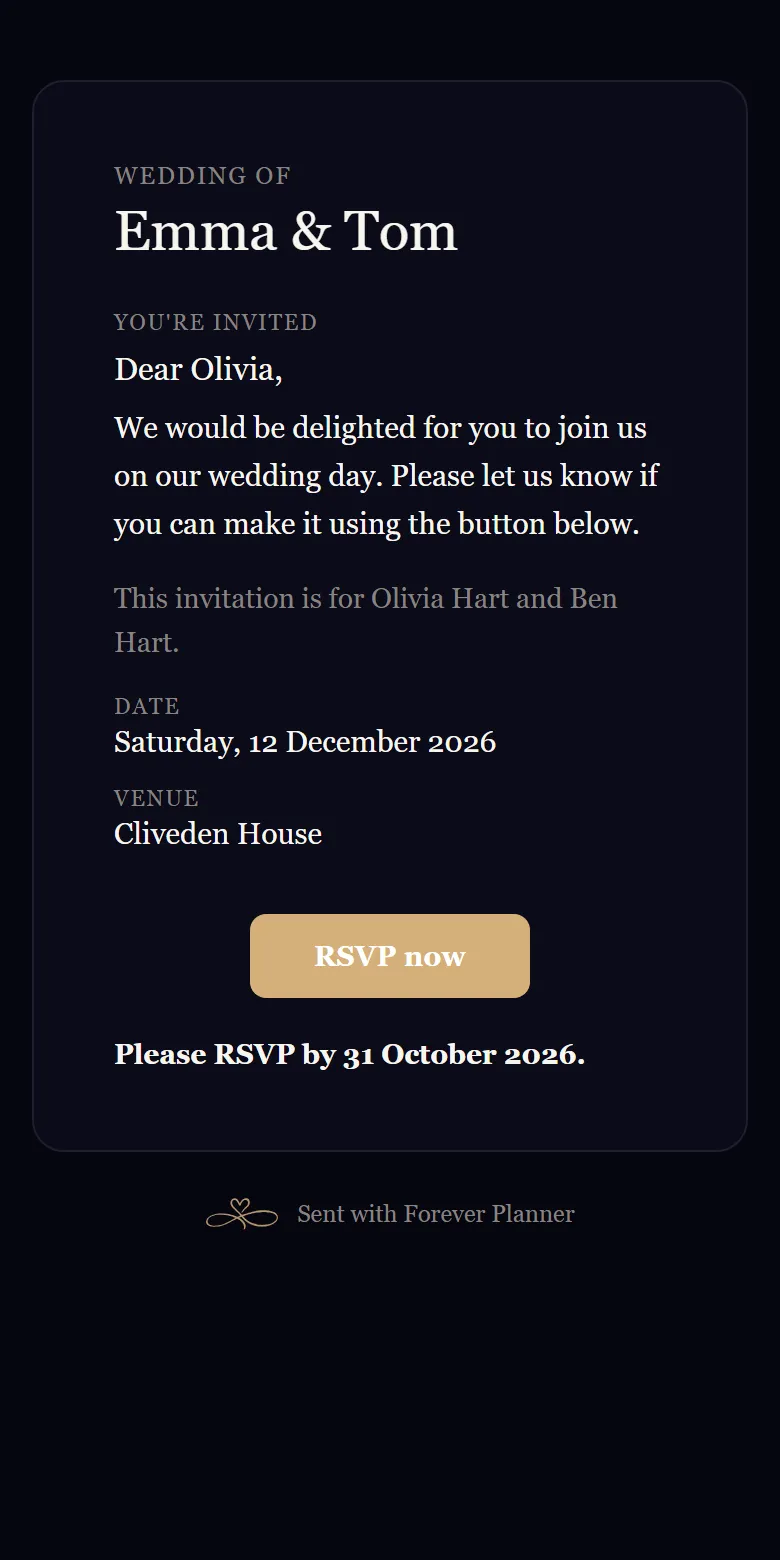
Step 1
An invitation in your style
Each guest gets an email in your design collection, from your names, with their own RSVP link. Replies come straight to you.
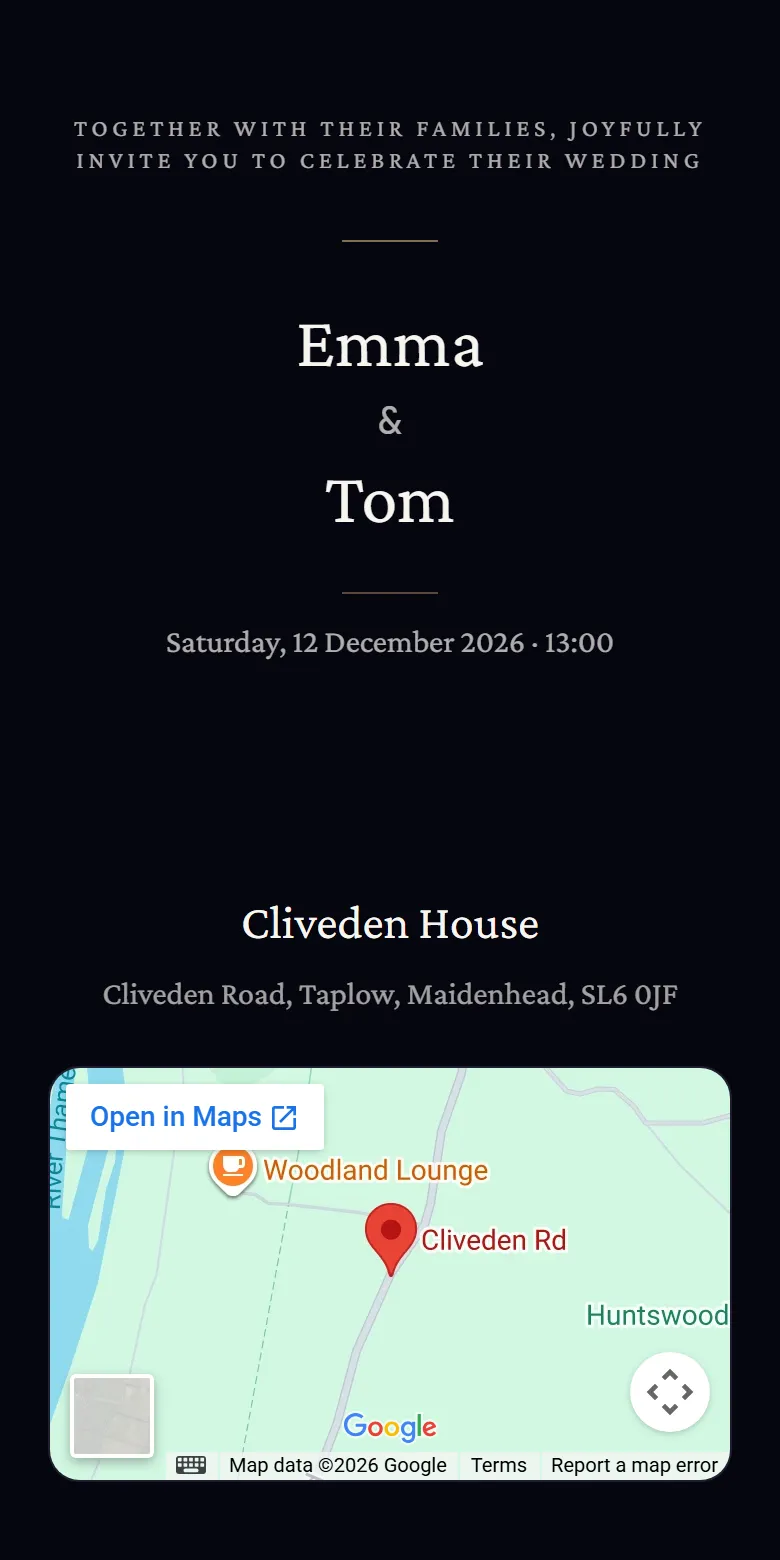
Step 2
Reply in a minute, no account
The link opens an animated invitation, then an RSVP for everyone on the invite, with dietary needs and any +1s. Nothing to download, no login.
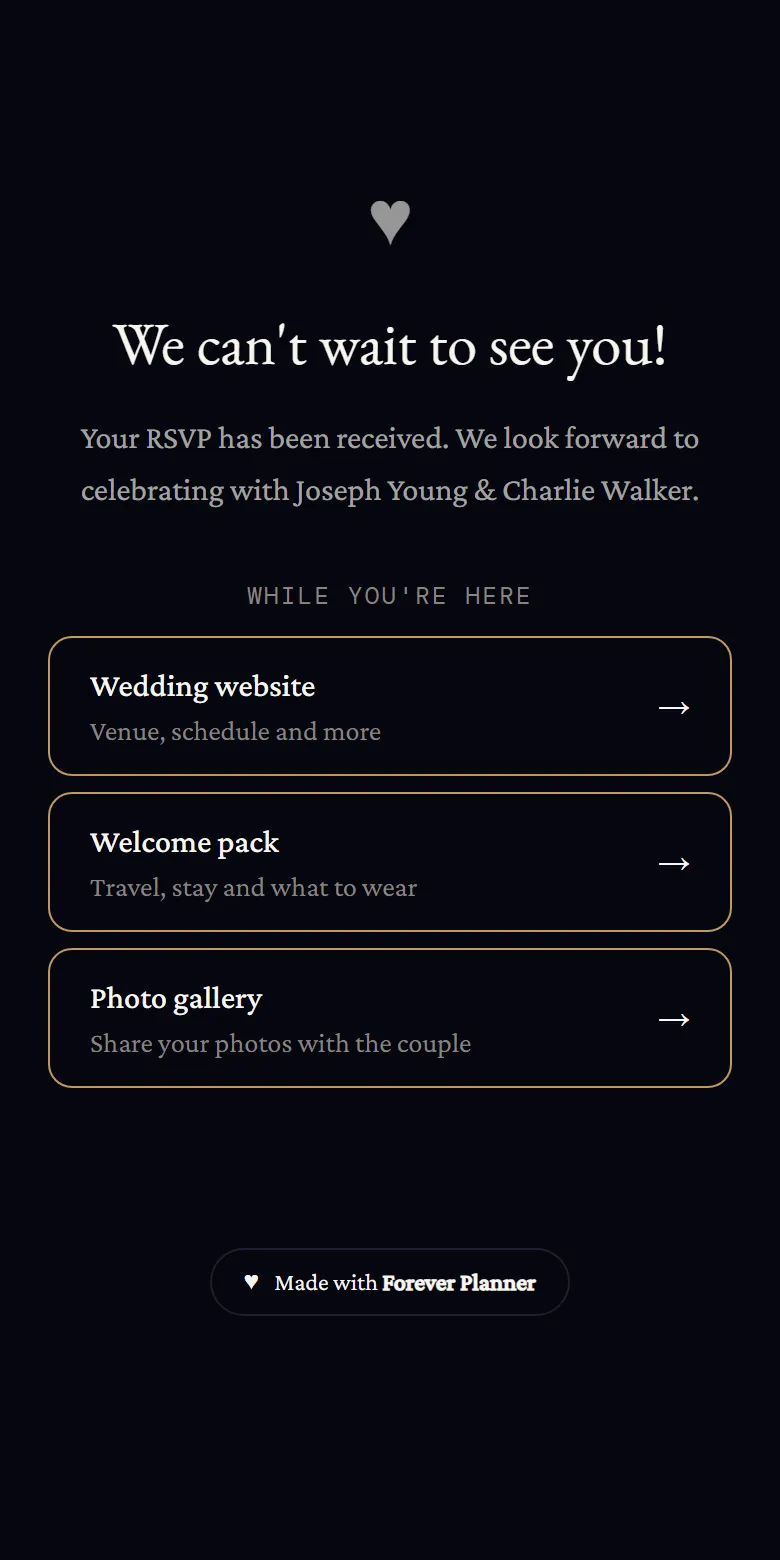
Step 3
Everything else, one tap away
Once they have replied, guests see links to your wedding website, welcome pack and photo gallery.
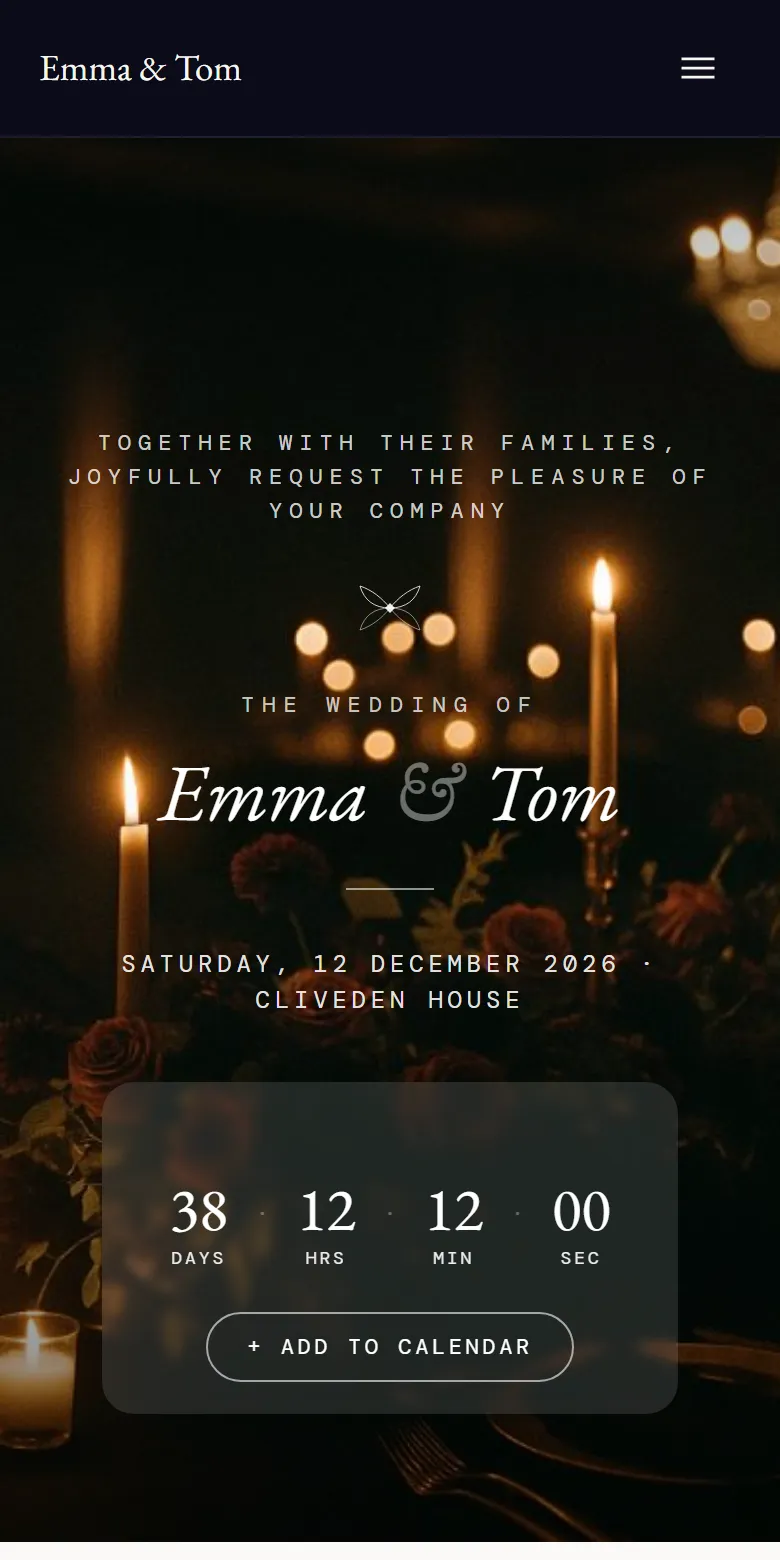
Step 4
A website with every answer
Your story, the schedule, travel, accommodation, dress code and FAQs, on one page in your design.
Step 5
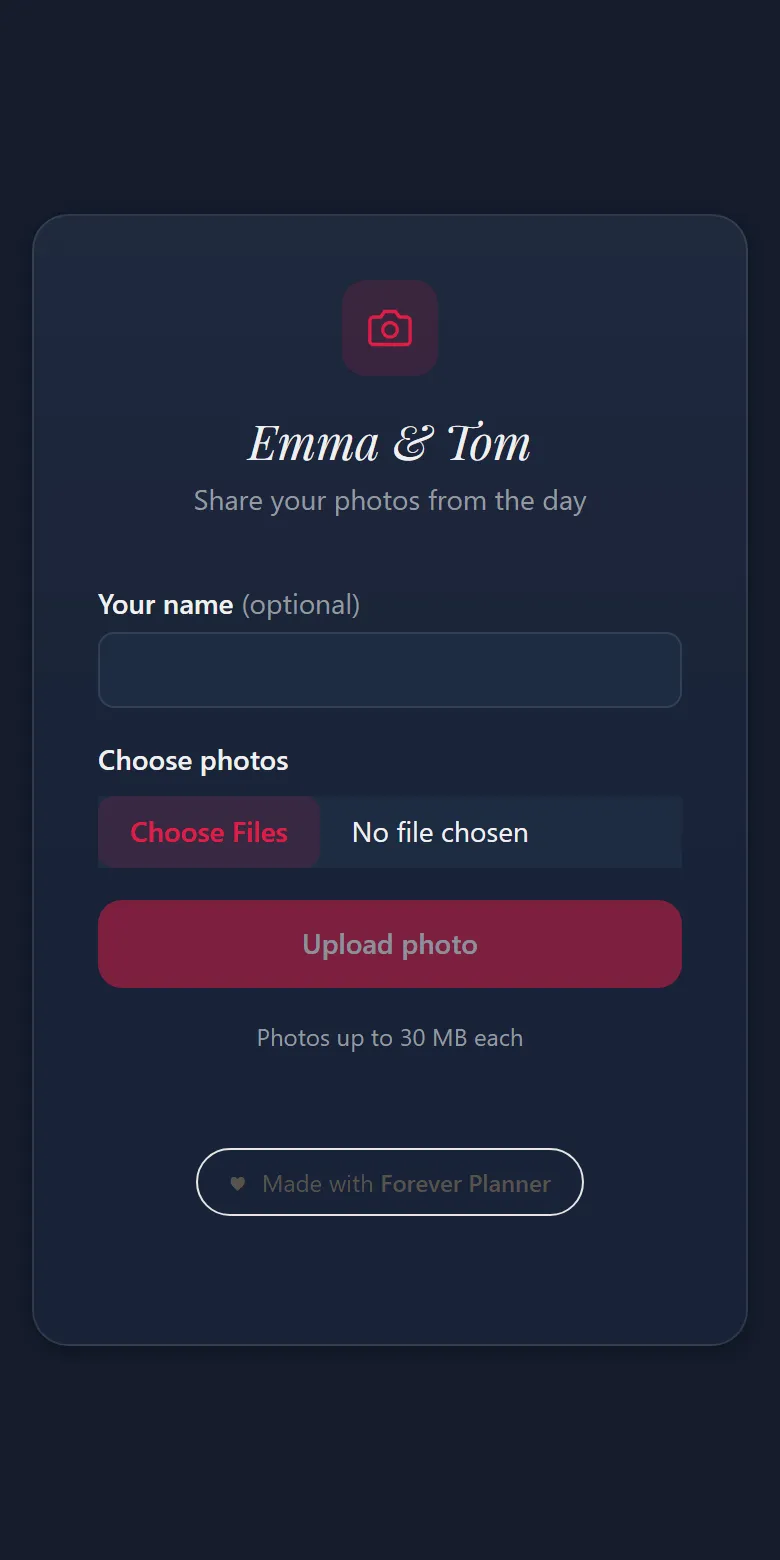
Photos from everyone, by QR code
On the day, guests scan a code and upload their photos to your gallery from their phones.
Stop planning in spreadsheets.
Start enjoying your engagement.
Free to start. Both partners included. No credit card required.